
- To Review - Transactions that need to be reviewed/categorized before they will be journaled to the general ledger.
- Categorized - Transactions that have already been categorized and journaled to the general ledger.
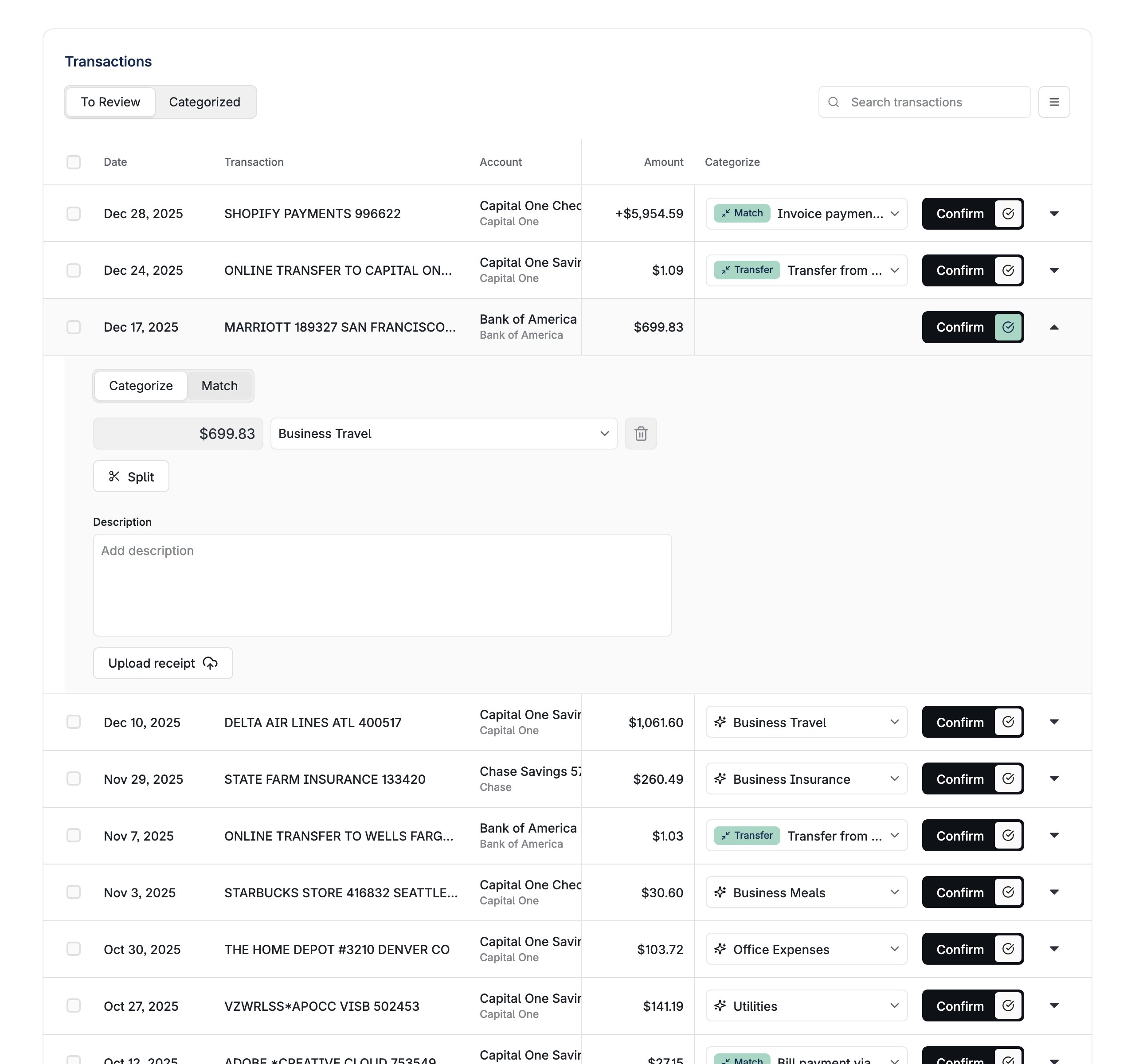
useBankTransactionsContext give more control over the transactions list:
Properties
number
default:"20"
Number of transactions to display per page. Controls pagination size.
boolean
default:"true"
Controls whether transaction descriptions are displayed in the transaction list.
boolean
default:"true"
Controls whether receipt upload functionality is available for transactions.
boolean
default:"false"
Controls whether tooltips are displayed to provide additional information about transactions and categorization.
boolean
default:"false"
Controls whether the customer/vendor column is displayed in the transactions table.
boolean
default:"false"
Controls whether transaction tags are displayed and can be managed in the transaction list.A tag picker appears for each user-visible tag dimension that has at least one defined value. Users choose from the values you define through the API; they cannot add a new value. See Create tag dimension and Create tag value. Tag changes save as the user makes them.
boolean
default:"false"
Controls whether upload options are displayed for transactions.
boolean
default:"true"
Controls whether the “To Review” / “Categorized” status toggle is displayed.
boolean
default:"false"
Controls whether categorization rule suggestions are shown when categorizing transactions.
boolean
default:"false"
Hides the component header entirely.
boolean
default:"false"
Collapses the component header into a more compact form.
boolean
default:"false"
Enables monthly view mode which changes the date filtering behavior to focus on monthly periods.
boolean
Controls whether the categorization interface is displayed. If not specified, this is automatically determined based on the business’s bookkeeping configuration.
string
default:"regularList"
Indicates whether to use dedicated mobile-oriented layout for smaller screens. Possible values are
mobileList or regularList. Defaults to regularList.function
Callback function that is called when an error occurs in the component. Receives a LayerError object as a parameter.
function
Custom function for rendering in-app navigation links. Receives LinkingMetadata as a parameter and should return a ReactNode.
BankTransactionsStringOverrides
Overrides for default strings in the component.
BankTransactionFilters object
Filters to apply to the transaction list.
boolean
default:"false"
Indicates whether to apply the global date range filter to the transaction list. If set to true, changing the date range in any Layer component will filter the transaction list to that time range as well. Defaults to
false.