Documentation Index
Fetch the complete documentation index at: https://docs.layerfi.com/llms.txt
Use this file to discover all available pages before exploring further.
Layer’s React components can be configured to display arbitrary React elements. These can be used to display links to external resources, or to navigate to other parts of your application.
To do so, you need to implement a function that takes a LinkingMetadata object and returns a ReactNode.
You can use the entityName property (an instance of the EntityName enum) to determine the type of entity being linked to (e.g., Bank Transaction or Invoice Payment), and render different links based on the entity type.
const convertLinkingMetadataToLink = (details: LinkingMetadata) => {
let path
switch (details.entityName) {
case EntityName.BankTransaction:
path = `bank-transactions/${details.id}`
break
case EntityName.InvoicePayment:
path = details.relatedEntityLinkingMetadata?.[0].id
? `invoices/${details.relatedEntityLinkingMetadata?.[0].id}`
: undefined
break
default:
path = undefined
}
return path ? (
<a
href={`https://layerfi.com/${path}`}
target='_blank'
rel='noreferrer'
style={{
color: '#007bff',
textDecoration: 'none',
fontWeight: '500',
}}
>
{details.entityName}
</a>
) : undefined
}
There are multiple places where links can be displayed:
BankTransactions / BankTransactionsWithLinkedAccounts
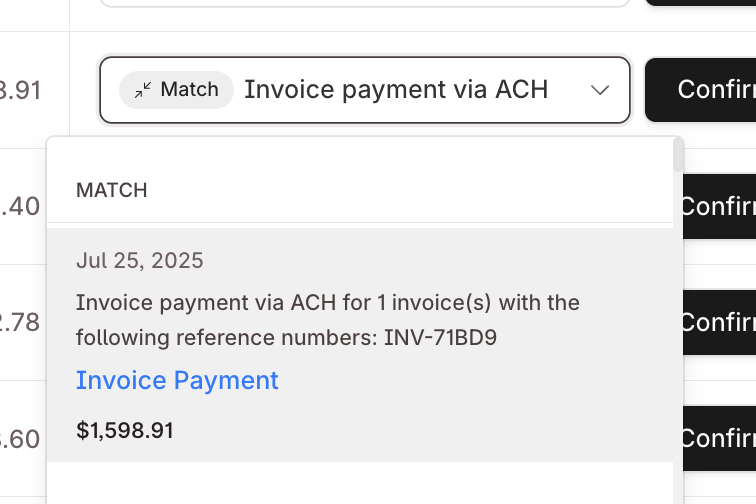
<BankTransactionsWithLinkedAccounts
renderInAppLink={convertLinkingMetadataToLink}
/>
Links will appear in the details of suggested matches
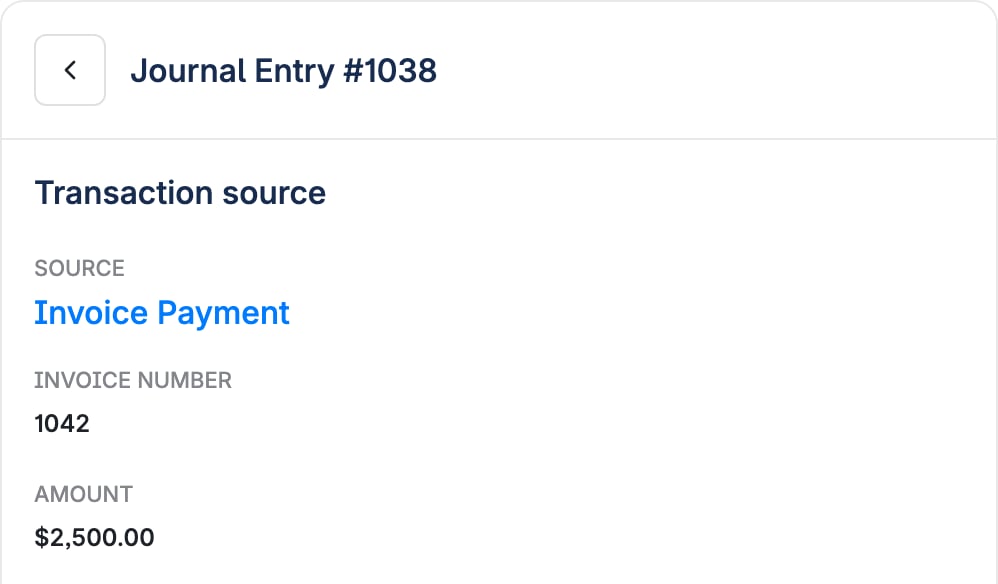
GeneralLedger
<GeneralLedger
renderInAppLink={convertLinkingMetadataToLink}
/>
Links will appear in the details of ledger entries